| iOS | 13.0以上 |
| XCode(当サイトの環境) | 15.0.1 |
ForEachは配列や数値の範囲などのコレクションを反復処理して、Viewを生成できます。
ForEachの第1引数には、コレクションを指定しますが、ここでreversedメソッドを使うと、コレクションの要素を逆順にすることができます。reversedメソッドは、コレクション自体を変更せずに、逆順にした新しいコレクションを返します。
例えば、以下のように書くと、0から9までの数値の範囲を逆順にして、それぞれの数値をテキストとして表示します。
数値の範囲を逆順で処理するコード例
import SwiftUI

struct ForEachSample: View {
    var body: some View {
        VStack {
            Text("通常通り昇順ForEachを繰り返し").foregroundColor(.blue)
            ForEach(0..<10, id: \.self) { index in
                Text("Item \(index)")
            }

            Text("ここから逆順").foregroundColor(.red).bold()
            ForEach((0..<10).reversed(), id: \.self) { index in
                Text("Item \(index)")
            }
        }
    }
}
文字列の配列を逆順にするコード例
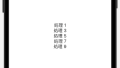
同様に、以下のように書くと、文字列の配列を逆順にして、それぞれの文字列をテキストとして表示します。
import SwiftUI

struct ForEachSample: View {
    let array = ["Apple", "Banana", "Cherry", "Durian"]

    var body: some View {
        VStack {
            ForEach(array.reversed(), id: \.self) { item in
                Text(item)
                    .padding()
            }
        }
    }
}
まとめ
このように、ForEachの第1引数にreversedメソッドの結果を指定することで、ForEachを逆順にすることが出来ます。
reversedはビューの表示順序だけを変えるものであり、元の配列自体は変更されません。
参考サイト:https://developer.apple.com/documentation/swift/array/reversed()