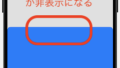
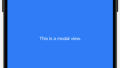
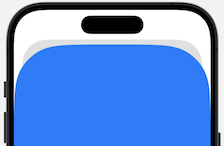
presentationCornerRadiusを使用するとsheetビューの以下部分の角に丸みをつけることが出来ます。
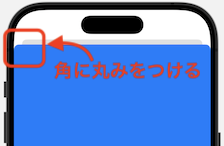
サンプルコード
以下のように角丸を適用したいビューにモディファイアを記述します。数値により丸みが変わります。
.presentationCornerRadius(100)
import SwiftUI

struct presentationCornerRadiusSmp: View {
    @State private var showingModal = false

    var body: some View {
        // モーダルビューの表示ボタン
        Button("Show Modal") {
            showingModal = true
        }
        .sheet(isPresented: $showingModal) {
            // モーダルに表示するビュー
            Text("This is a modal view.")
                // 背景が分かりやすいように配色を変更
                .foregroundStyle(.white)
                .presentationBackground(.blue)
                // 丸みをつける
                .presentationCornerRadius(100)
        }
    }
}
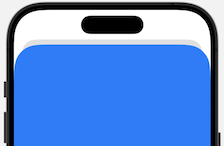
presentationCornerRadiusを適用した表示
まとめ
このようにpresentationCornerRadiusを使用してsheetビューの角を丸くすることも可能です。
ユーザーに対して柔らかい印象を与えたい時に使えるのではないでしょうか。