SwiftUIで.sheetビューの背景を変更する方法はいくつかあります。
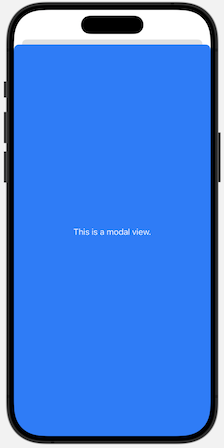
iOS16.4以降では、.presentationBackgroundを使用するのが良いでしょう。
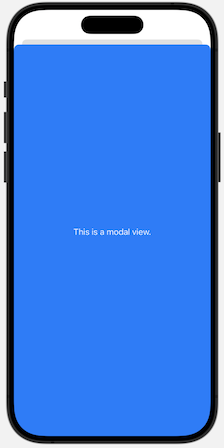
他にも.backgroundとframeを組み合わせる方法でも可能です。
presentationBackgroundを使用した方法
背景色を適用したいビューにpresentationBackgroundを適用するだけです。
サンプルコード
import SwiftUI

struct presentationBackgroundSmp: View {
    @State private var showingModal = false

    var body: some View {
        // モーダルビューの表示ボタン
        Button("Show Modal") {
            showingModal = true
        }
        .sheet(isPresented: $showingModal) {
            // モーダルに表示するビュー
            Text("This is a modal view.")
                .foregroundStyle(.white)
                // 背景を青色に設定
                .presentationBackground(.blue)
        }
    }
}
backgroundとframeを組み合わせた方法
適用したいビューをframeによって大きくして、backgroundで背景色を設定する方法です。
サンプルコード
import SwiftUI

struct presentationBackgroundSmp: View {
    @State private var showingModal = false

    var body: some View {
        // モーダルビューの表示ボタン
        Button("Show Modal") {
            showingModal = true
        }
        .sheet(isPresented: $showingModal) {
            // モーダルに表示するビュー
            Text("This is a modal view.")
                .foregroundStyle(.white)
                // フレームを最大に設定
                .frame(maxWidth: .infinity, maxHeight: .infinity)
                // 背景色を青に設定
                .background(Color.blue)
        }
    }
}
まとめ
本記事ではsheetビューの背景色を変更する方法を紹介しました。
- presentationBackgroundを使用する方法
- backgroundとframeを組み合わせる方法
基本的にはpresentationBackgroundを使用するのが良いでしょう。以前のiOSバージョンにも対応したい場合などにbackgroundとframeを組み合わせて代用することも可能です。